> For the complete documentation index, see [llms.txt](https://docs.artar.es/project-creation/llms.txt). Markdown versions of documentation pages are available by appending `.md` to page URLs; this page is available as [Markdown](https://docs.artar.es/project-creation/wall-and-general-principles-of-ar-operation.md).
# Wall and general principles of AR operation
**Wall (wall)** – a type of object with its own properties.\
In the editor it is indicated in red (square or rectangle).
**You only need to know three principles to work correctly with a wall:**\
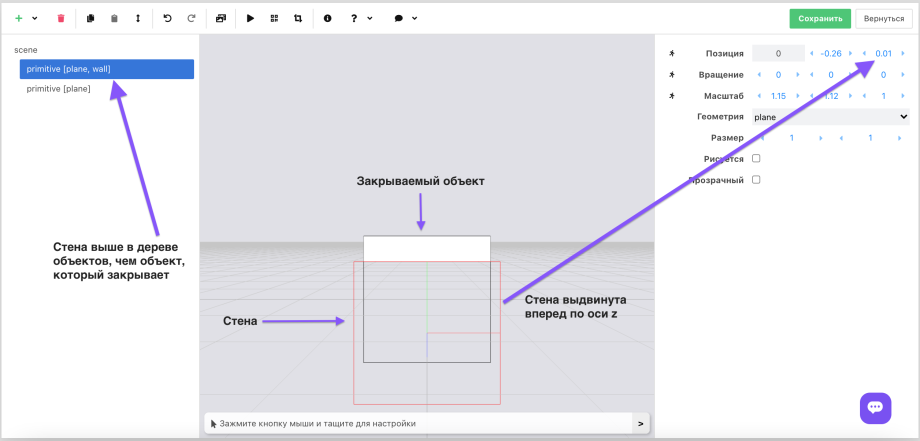
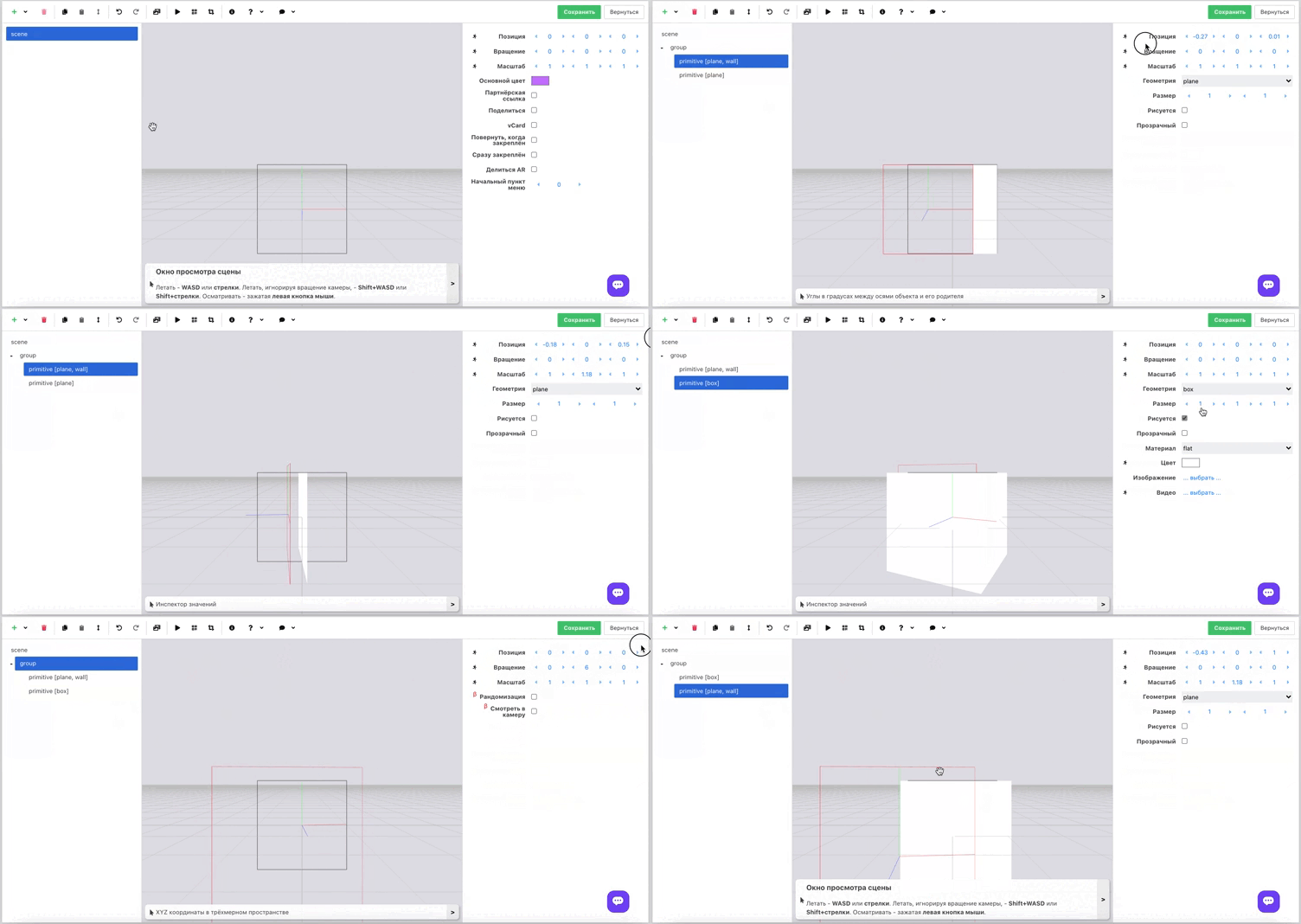
1\. In the object tree the Wall must be above the object it covers.\
2\. The Wall must be closer to the camera (the z value in Position).\
3\. If the Transparent checkbox is set for the wall, it can only cover a transparent object.
**Wall** invisible because it does not draw colors, but it writes to depth, i.e. formally it is opaque. This means it affects all objects that come after it in the scene, as well as all transparent objects.\
\
Objects in the project have properties and parameters in the coordinate system x; y; z.\
Accordingly, objects positioned closer to the camera cover those that are farther away. Just like in the physical three-dimensional world. But there are nuances.\
\
The general rule is that opaque objects are drawn first in the order they appear in the scene, and then transparent ones are drawn from far to near.\
\
The "Text" object is transparent by default and cannot be otherwise.
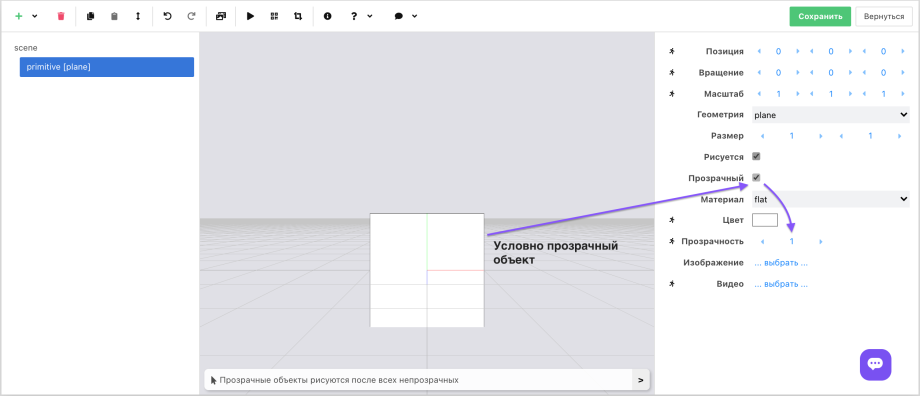
An object can be conditionally transparent if you check the Transparency box but leave the value at 1. That is, the transparency is not visible to the eye, but the object will behave differently.
For example, there are cases when an image is displayed incorrectly (edges have artifacts); it is enough to check the Transparent box and the edges will smooth out.