> For the complete documentation index, see [llms.txt](https://docs.artar.es/project-creation/llms.txt). Markdown versions of documentation pages are available by appending `.md` to page URLs; this page is available as [Markdown](https://docs.artar.es/project-creation/creating-a-button.md).
# Creating a button
To**button – a type of object with properties that allow you to click on a specified area and perform an action.**
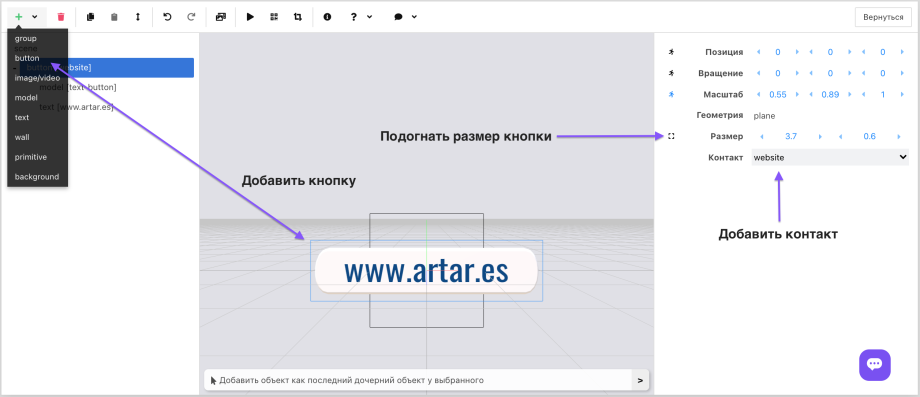
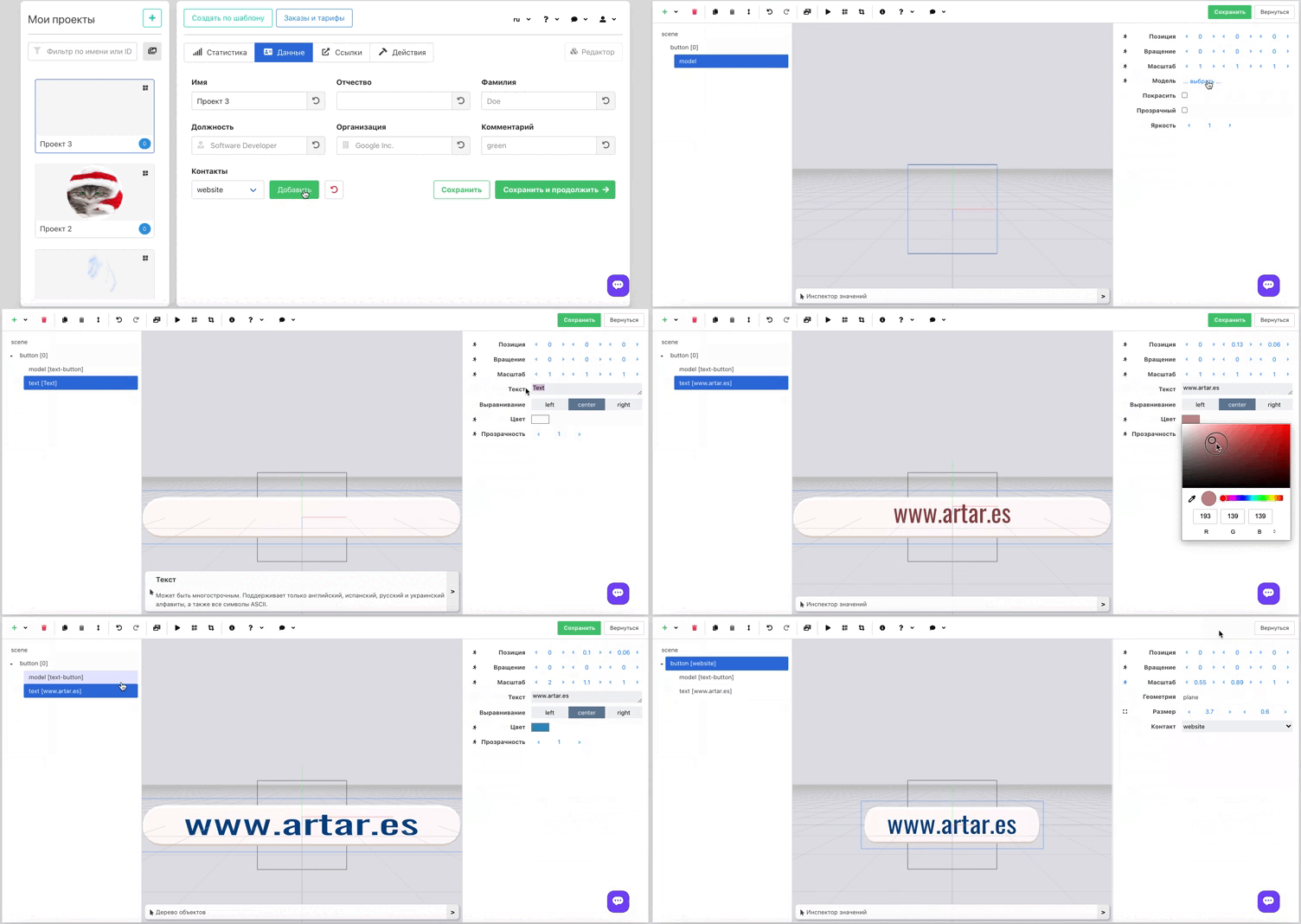
In the editor the button is displayed as a light-blue rectangle. In the AR layer it is invisible. To create a visible button you must nest a model, image or video inside the button, set the size of the clickable area (automatically or manually) and select an existing contact or menu item.\
\
*We will consider menu animation in the "Animation" section.*
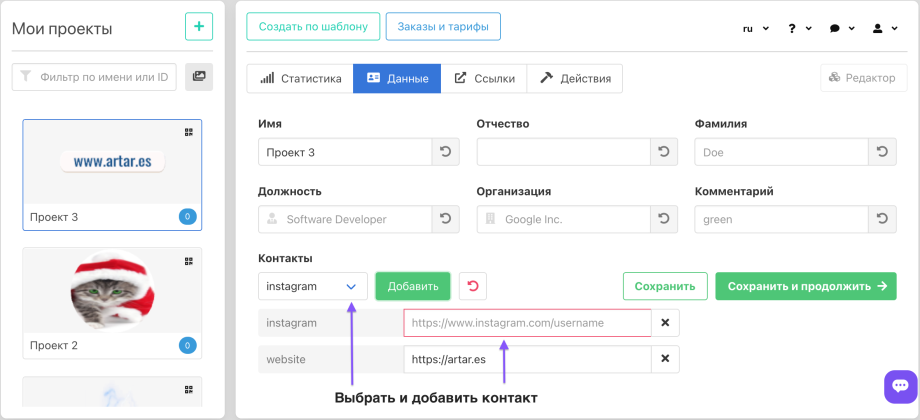
For contacts to appear in the editor and be "attachable" to a button, they must be added in the admin panel.