> For the complete documentation index, see [llms.txt](https://docs.artar.es/project-creation/llms.txt). Markdown versions of documentation pages are available by appending `.md` to page URLs; this page is available as [Markdown](https://docs.artar.es/project-creation/adding-links-and-contact-details-to-the-project.md).
# Adding links and contact details to the project
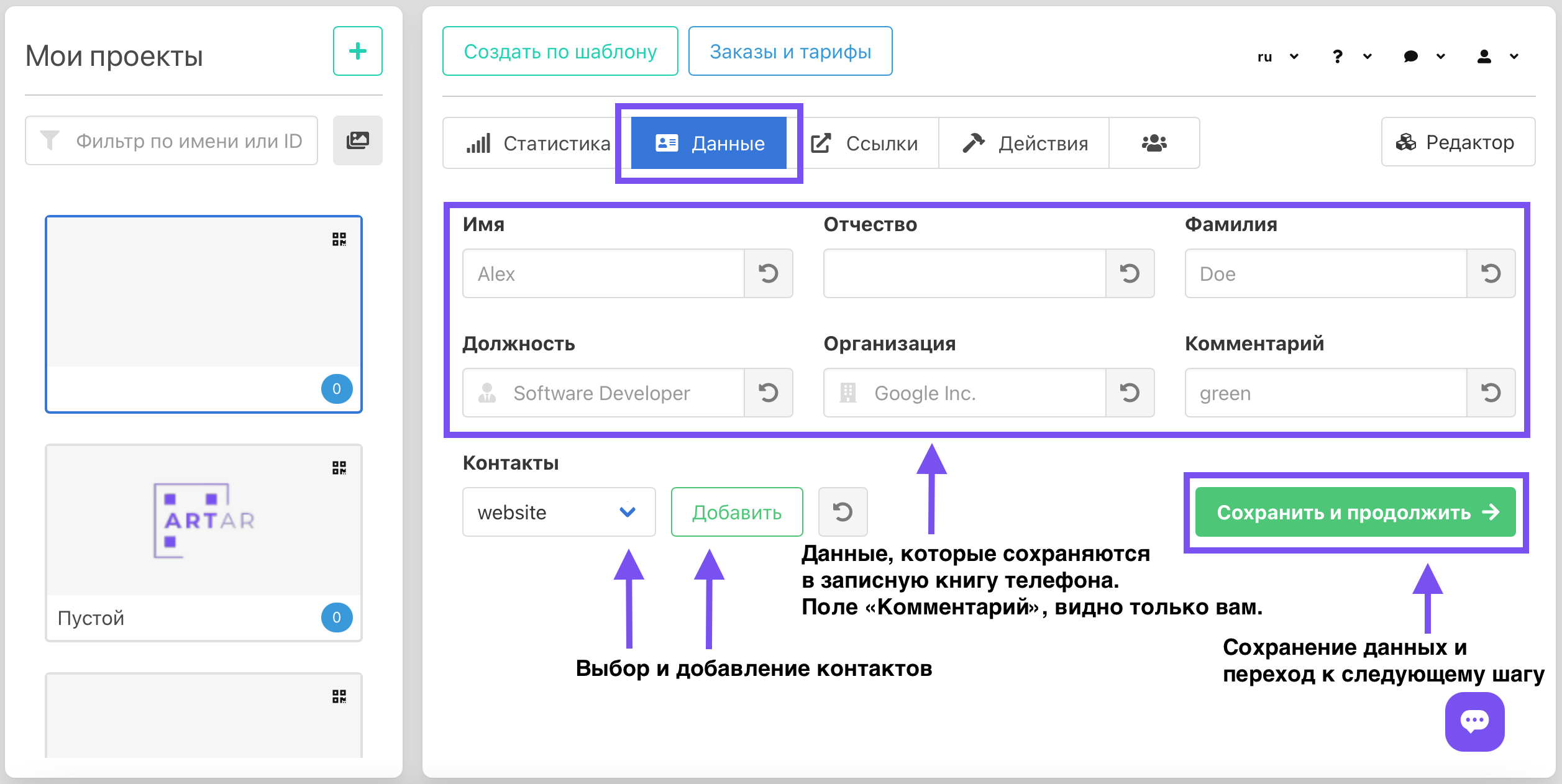
On the "Data" tab, fill in the first name, patronymic, last name, position, and organization. This information will be saved to the phone's address book when the corresponding button inside the AR project is pressed. These fields are usually filled out when creating an AR business card. Skip these fields if your project does not require them. "Comment" is a notes field visible only to you.
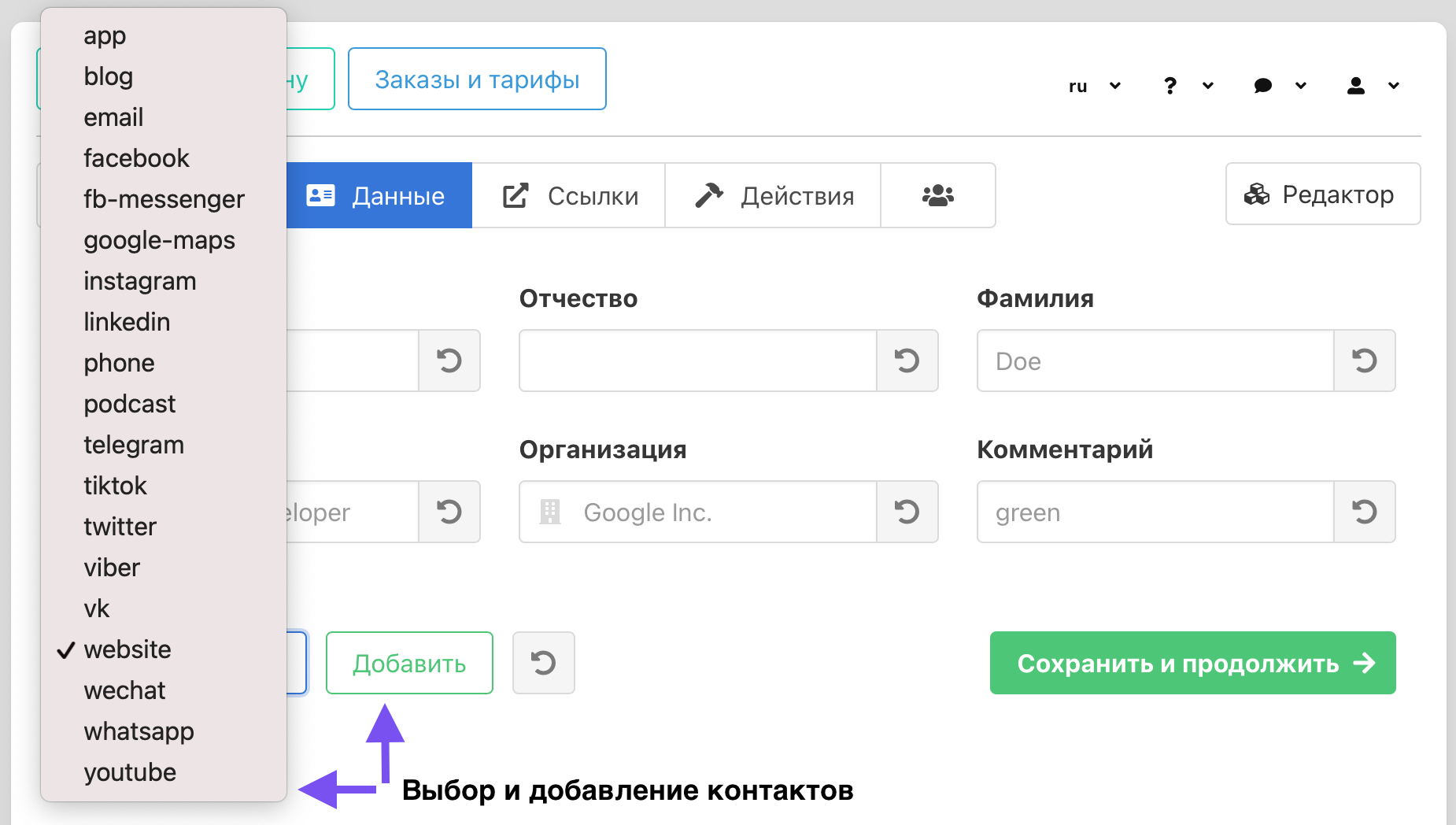
Select contacts, fill in the fields that appear and click "Save and continue".\
You can add multiple identical contacts (for example multiple phone numbers, websites or social media links).\
\
Phone numbers, Viber and WhatsApp should be added in international format (+7.....; +38050..... etc.).\
To add Telegram you need to have a link in the form \
Third-party links should have the following form [https://site.com.](https://site.com./) \
\
Skip this step if the project does not provide for links.
You can return to filling in the data at any time.\
Any changes do not affect the QR code originally created for the project.\
\
**Additional settings in the editor are required to display and bind the data to the project.**