> For the complete documentation index, see [llms.txt](https://docs.artar.es/project-creation/llms.txt). Markdown versions of documentation pages are available by appending `.md` to page URLs; this page is available as [Markdown](https://docs.artar.es/project-creation/qr-code.-working-specifics.-hacks.-branding-styling-saving..md).
# QR code. Working specifics. Hacks. Branding, styling, saving.
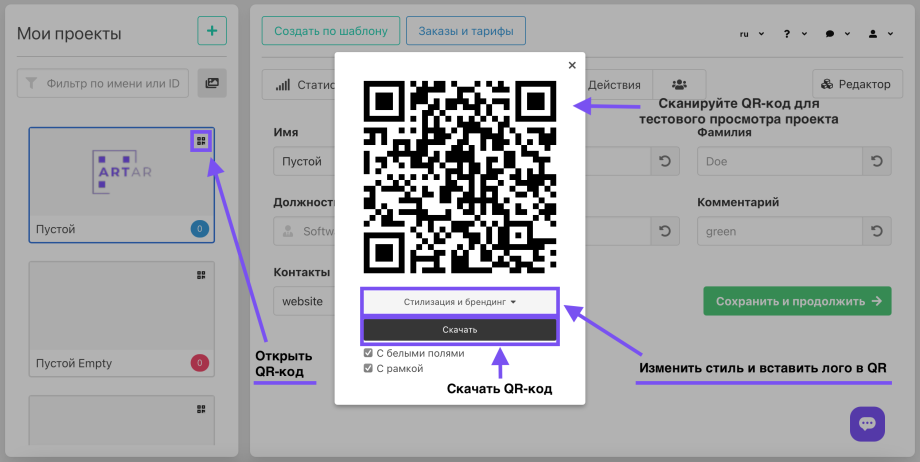
The QR code opened in the admin panel or in the editor is different from the one downloaded.\
It does not collect statistics and shows hints in projects with the "menu" animation.\
It is used for scanning and testing the project during its creation stage.\
\
The QR code is generated automatically and does not change with any changes to contacts or project editing.\
\
The only thing that will change the QR code is changing the project's address.\
This allows for the White Label service.\
For example, the project can open on your subdomain and look like [https://ar.site.com](https://ar.site.com/)\
\
Therefore, if it is important for you not to change the QR code image in the future and you plan to connect your own domain/subdomain, do it right away.
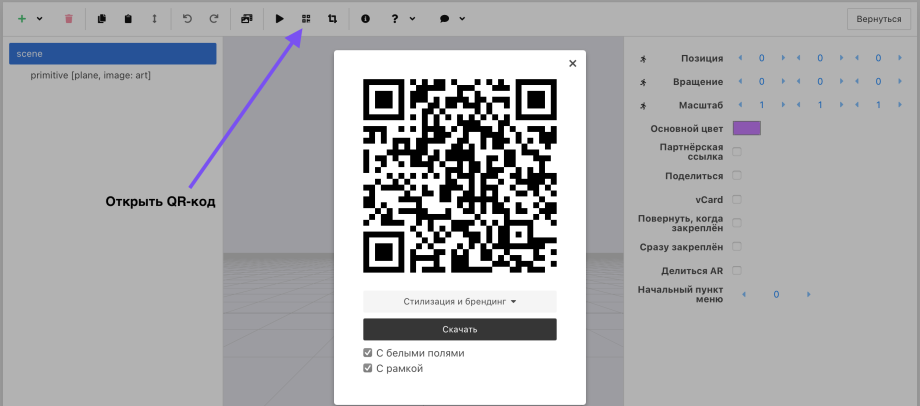
You can also open and download the QR code in the editor.
Your projects may be displayed like this. This can be changed.
**The QR code performs two or one function in the project:** \
1\. Redirects to a link that opens the browser window where the camera is opened.\
2\. Serves as a marker (trigger) onto which augmented reality is overlaid.\
If the project's marker is an image, then only the first function is used.
If the marker is an image, the requirements for the QR code are less strict. For example, it can be smaller in size.
If the QR code is a marker, you must not crop the white field (frame) around it. And it is not recommended to print the QR code smaller than 3.5 cm.\
The camera opened in the browser recognizes almost any QR code and will "pull" the AR layer.\
That is, you can share a link that will open the AR and the user can point the camera at any QR code (not ours, without AR), and they will see the augmented reality content.\
The lifehack will not work if the white frame is cropped or the QR code is not high-contrast or is heavily stylized.
Remember that not everyone has the latest phone models, so weaker cameras may not read a very small, distorted, or radically stylized QR code.